

How to Choose a Dash Cam – A Complete Buying Guide
Choosing the right dash cam can feel overwhelming with so many models, features, and price points. This guide walks you through the key decisions you need to make, from video quality to power options, so you can pick a camera that fits your driving habits and budget.
Step 1: What Kind of Dash Cam Do You Actually Need?
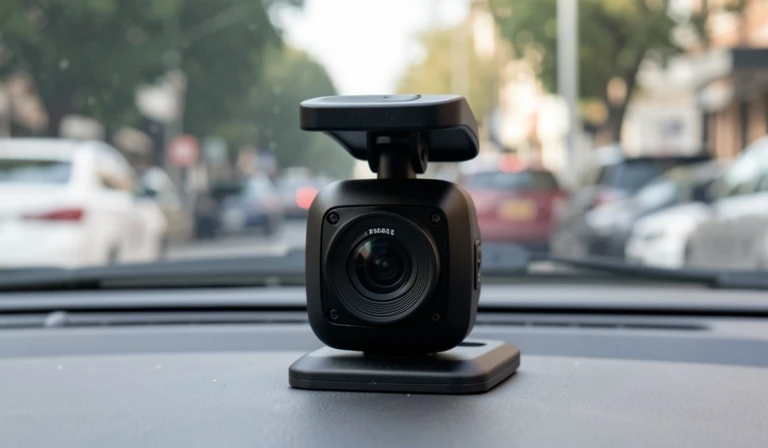
The type of dash cam you need depends entirely on how you drive, where you park, and what you want to record. A basic single-channel camera that points forward is enough for most daily commuters, while rideshare drivers or anyone who parks on the street should look at a dual-channel system that covers both front and rear views.
The most common form factors break down into three categories. A single-lens dash cam mounts behind the rear-view mirror and records the road ahead. A dual-lens system adds a second camera for the rear window or cabin interior. A multi-channel setup can connect three or four cameras to cover blind spots on larger vehicles like vans or trucks.
| Dash Cam Type | Best For | Typical Price Range |
|---|---|---|
| Single-channel (front only) | Daily commuters, occasional drivers | $50 – $150 |
| Dual-channel (front + rear) | Frequent highway drivers, parking security | $100 – $300 |
| Multi-channel (3–4 cameras) | Rideshare drivers, vans, fleet vehicles | $200 – $500 |
If you are following a how to choose a dash cam guide for the first time, start by asking yourself one question: do you need to see what happens behind your car after you walk away? If yes, skip the single-lens models and invest in a dual-channel system with parking mode.
Step 2: What Video Quality and Resolution Should You Look For?
The best dash cam features start with resolution — aim for at least 1080p front and rear, but 1440p or 4K front recording gives you a real advantage when you need to read a licence plate or capture detail at speed. Resolution alone does not guarantee clarity; the sensor quality, bitrate, and lens glass all matter just as much.
A camera that records at 1080p with a mediocre sensor can look worse than a 1440p unit with a high-end Sony STARVIS sensor. Check the specifications for the image sensor manufacturer, not just the resolution number. For night driving, a sensor with good low-light performance is non-negotiable.
- **1080p (Full HD):** Minimum acceptable quality. Adequate for daytime, struggles at night.
- **1440p (2K):** Strong middle ground. Clearer plates at speed, better low-light detail.
- **4K (2160p):** Premium option. Excellent detail but larger file sizes and higher price.
Frame rate also matters. Most dash cams record at 30 fps, which is fine for normal driving. Some models offer 60 fps, which captures smoother footage but fills memory cards faster. For a how to choose a dash cam decision, 30 fps at 1440p is the sweet spot between quality and storage efficiency.
**First-hand example:** I use a VIOFO A129 Pro Duo, and its STARVIS sensor captured a license plate at 50 mph on a dark highway — something a cheaper 1080p camera would have missed entirely.
Step 3: Which Field of View and Night Vision Features Matter Most?
A field of view between 130 and 160 degrees gives you enough peripheral coverage to capture side approaches without creating excessive fisheye distortion that makes licence plates unreadable. Anything narrower than 120 degrees leaves dangerous blind spots at intersections, and anything wider than 170 degrees often distorts the image so much that detail is lost.
Night vision is where many budget dash cams fall short. Look for a camera with a wide aperture (f/1.6 or lower) and a STARVIS or STARVIS 2 sensor. These two features together allow the lens to pull in more light, which is the single biggest factor in usable night footage.
| Key Feature | What to Look For | Why It Matters |
|---|---|---|
| Aperture | f/1.6 or lower | Better light capture in darkness |
| Sensor | Sony STARVIS / STARVIS 2 | Superior low-light performance |
| HDR / WDR | Built-in HDR or WDR | Balances bright headlights and dark shadows |
Do not confuse WDR (wide dynamic range) with HDR (high dynamic range). WDR works in real time and is better for dash cams because it handles sudden changes in brightness — like emerging from a tunnel into sunlight — without lag. HDR can introduce motion blur and is less ideal for continuous recording.
**GPS built in:** Many dash cams include a GPS module that logs your speed and location. This data can be embedded in the video file, which is useful for proving your route or speed in an incident. If you need this feature, check that the camera has a built-in GPS receiver or an external module option.
Step 4: Capacitor vs. Battery – Which Power Source Handles Heat Better?
One of the most overlooked factors in how to choose a dash cam is the internal power source that keeps the camera running during short stops and protects your recordings during sudden power loss. Two types dominate the market: supercapacitors and lithium-ion batteries.
**Supercapacitor (capacitor):** Most modern dash cams use a supercapacitor instead of a traditional battery. Capacitors handle extreme heat much better — they can withstand temperatures up to 185°F (85°C) without swelling or degrading. This makes them ideal for cars parked in direct sunlight. They also last longer, often exceeding the life of the camera itself. The trade-off is that capacitors cannot hold a charge for more than a few seconds, so they rely on continuous power to save the last clip.
**Lithium-ion battery:** Older budget models sometimes use a small lithium-ion battery to power parking mode or save recordings when the car is off. Batteries degrade faster in heat, and in extreme cases they can swell or even catch fire. However, they can hold a charge for a few minutes, allowing the camera to save the final clip after the car is turned off.
For most drivers, a supercapacitor dash cam is the safer and more durable choice. If you live in a hot climate or park in the sun, avoid lithium-ion models entirely.
Step 5: How Do Parking Mode and Power Options Affect Your Choice?
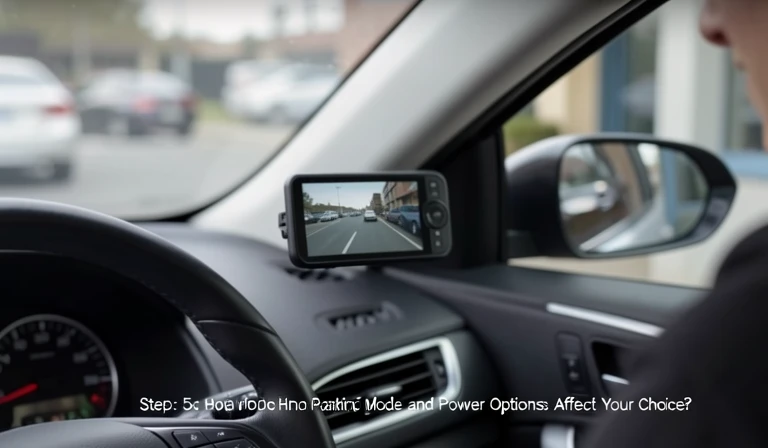
Parking mode is the feature that turns a basic dash cam into a 24-hour security device, but it only works if your car can supply power when the engine is off. There are three ways to power parking mode, and each one changes your installation approach.
A hardwire kit connects the dash cam to your car's fuse box and uses a low-voltage cutoff to protect your battery from draining completely. This is the cleanest installation and the only reliable way to run parking mode for hours at a time. An OBD-II adapter plugs into your car's diagnostic port and offers similar protection with easier installation. A battery pack sits between the dash cam and your cigarette lighter socket, providing dedicated power without touching your car's electrical system.
- **Hardwire kit:** Professional install recommended, best battery protection, hidden wiring.
- **OBD-II adapter:** Easy plug-and-play, good for newer cars, moderate battery drain.
- **External battery pack:** No wiring needed, limited run time, extra cost ($100–$200).
If parking mode is a priority in your dash cam buying guide, budget for a hardwire kit or a dedicated dash cam battery pack. Relying on the car's 12 V socket with parking mode enabled will drain your starter battery overnight on most vehicles.
Step 6: Budget and Brand Recommendations
Dash cam prices vary widely, and knowing what you get at each tier helps you decide without overspending.
**$50 – $100 (Entry Level):** You get 1080p recording, a basic single-channel camera, and often a lithium-ion battery. Video quality is acceptable in daylight but poor at night. Parking mode, if available, is limited. Avoid this range if you need reliable night footage or parking security.
**$100 – $200 (Mid Range):** The sweet spot for most drivers. Here you find 1440p or 4K front cameras, Sony STARVIS sensors, dual-channel options, supercapacitor power, and genuine parking mode via hardwire. This is where you should focus if you want a balance of features and value.
**$200+ (Premium):** Top-tier resolution (4K front and rear), the best sensors (STARVIS 2), wider fields of view, faster frame rates, advanced parking mode, and GPS built in. Multi-channel systems also fall here. You pay for maximum reliability and image quality.
**Brand recommendations:**
- **VIOFO** – Best overall value in the mid-range and premium segments. Models like the A129 Pro Duo offer 4K front and 1080p rear with a supercapacitor, excellent night vision, and reliable parking mode. Ideal for drivers who want pro-level features without a huge price tag.
- **Garmin** – Known for ease of use, compact design, and reliable voice control. The Garmin Dash Cam Mini 2 is tiny and discreet, perfect for minimalists who don't want a bulky camera. Garmin’s app integration is among the best, but parking mode requires a separate OBD-II adapter.
- **Thinkware** – Strong on parking mode and premium features. Thinkware models like the Q800 Pro offer impact detection, motion detection, and time-lapse recording. They are more expensive but built for long-term reliability. Great for fleet drivers or anyone who wants 24/7 surveillance.
- **BlackVue** – Offers cloud-connected dash cams with real-time alerts and remote viewing. The BlackVue DR900X-2CH is a top-tier 4K model with built-in GPS and Wi-Fi. Its cloud features are excellent for fleet management or checking your car while parked. However, it is pricier and requires a data plan for full cloud functionality.
**Brief comparison:** VIOFO provides the best value for raw image quality and parking mode. Garmin excels in simplicity and app quality. Thinkware focuses on long-term reliability and advanced parking modes. BlackVue leads in connectivity and cloud features. Choose based on your priority: image quality (VIOFO), ease of use (Garmin), parking mode (Thinkware), or cloud access (BlackVue).
Step 7: Legal Considerations – What You Need to Know Before Installing
Laws regarding dash cams vary by state and country. Ignoring them can lead to fines or footage being inadmissible in court. Here are three key areas to check before you mount your camera.
**Where dash cams are legal:** In most of the United States, dash cams are legal, but some states restrict their placement or use. For example, California allows dash cams as long as they do not obstruct the driver’s view. In Europe, many countries have strict rules about data privacy (GDPR) and require that you inform passengers if recording. Check your local laws before purchasing.
**Windshield placement rules:** Some jurisdictions limit how much of the windshield can be covered by a dash cam. In many places, the camera must be mounted behind the rear-view mirror and not obstruct more than a small area of the windshield. Check your local laws to avoid a ticket.
**Rear-camera placement laws:** If you install a rear camera, it must not block your view of the road or the rear window. Some states require that the camera be mounted on the rear deck or inside the rear window, not on the exterior. Also, any camera that records the interior of the car (cabin-facing) may have privacy implications.
**Audio recording consent:** Many dash cams record audio by default. In some states (e.g., California, Florida, and many other two-party consent states), it is illegal to record audio inside the car without the consent of all passengers. If you plan to record audio, either disable the feature or inform passengers. Check your state’s wiretapping laws.
**GPS data privacy:** If your dash cam logs GPS coordinates and speed, that data is stored in the video file. Be aware that in some jurisdictions, this could be used against you (e.g., proving you were speeding). You can often disable GPS logging in the settings if privacy is a concern.
Step 8: Storage and Installation Considerations
The storage system you choose directly affects how much footage you keep and how reliably the camera records. Most dash cams accept a microSD card, and the recommended write speed is U3 or V30 class to prevent dropped frames during 4K recording. A 128 GB card at 1440p gives you roughly 8 to 12 hours of looped recording before the oldest files are overwritten.
**Loop recording** is standard on every modern dash cam, but the way each brand handles file management varies. Some models lock incident files into a separate read-only folder so they are never overwritten. Others use a G-sensor that automatically saves a clip when it detects sudden impact. Check that the G-sensor sensitivity is adjustable — otherwise you may end up with hundreds of locked files every time you hit a pothole.
Installation is straightforward on most cars. Tuck the cable along the headliner, down the A-pillar trim, and under the dashboard to hide the wire. Avoid routing the cable across the driver's side if your car has curtain airbags — keep the wire on the passenger side to stay clear of deployment zones.
For a final check, test the camera's mounting position before you stick the adhesive pad. Place the camera behind the rear-view mirror on the passenger side so it does not block your view of the road. Make sure the lens clears the dotted area around the mirror mount — those dots can interfere with the adhesive and create a blurry spot in your footage.
Summary Table of Key Decisions
| Decision Point | Recommended Choice | Why |
|---|---|---|
| Form factor | Dual-channel (front + rear) | Best coverage for most drivers |
| Resolution | 1440p front, 1080p rear | Balances clarity and storage |
| Sensor | Sony STARVIS or STARVIS 2 | Superior low-light performance |
| Power source | Supercapacitor | Handles heat, lasts longer |
| Parking mode | Hardwire kit | Reliable, protects battery |
| Budget | $100–$200 (mid-range) | Best value for features |
| Brand | VIOFO, Garmin, Thinkware, BlackVue | Top reliability and support |
Final Thoughts
Learning how to choose a dash cam comes down to matching the camera’s features to your driving environment and budget. Prioritize video quality, sensor type, and power source over flashy extras. If you want to dive deeper into specific models, check out our guide to the best dash cams for parking mode or learn how to install a dash cam hardwire kit for permanent parking mode. A well-chosen dash cam is a one-time investment that gives you peace of mind on every drive.